· Emad Adel · SharePoint · 1 min read
Installing SharePoint 2013
My Setup VMWare Desktop
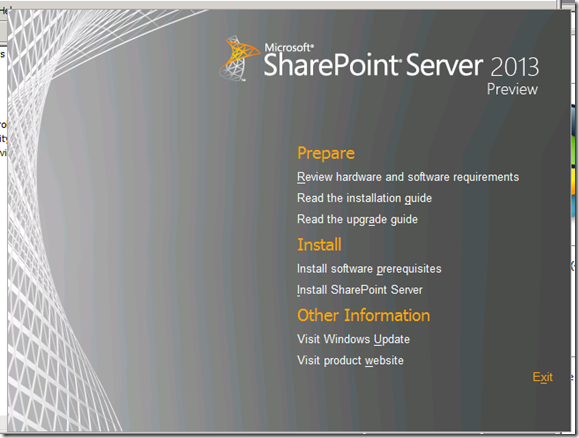
My Setup
- VMWare Desktop
- Single Server with Domain Controller
- Windows Server 2008 R2 with Service Pack and all Related Updates
- SQL Server 2012
Run the Setup and Click Install Software Prerequisites


There will be a Restart Required After this step.

Restart and Installation of Prerequisites will continue

Enter Key


2:16 AM
![clip_image001[5]](http://jerryyasir.files.wordpress.com/2012/07/clip_image0015.png "clip_image001[5]")
2:37 AM
![clip_image001[7]](http://jerryyasir.files.wordpress.com/2012/07/clip_image0017.png "clip_image001[7]")


![clip_image001[9]](http://jerryyasir.files.wordpress.com/2012/07/clip_image0019.png "clip_image001[9]")
Don’t Configure Everything for now.

![clip_image001[11]](http://jerryyasir.files.wordpress.com/2012/07/clip_image00111.png "clip_image001[11]")
![clip_image001[13]](http://jerryyasir.files.wordpress.com/2012/07/clip_image00113.png "clip_image001[13]")

Enter Site Title and then Select Template or Leave everything Default and click OK.

Click Finish
![clip_image001[15]](http://jerryyasir.files.wordpress.com/2012/07/clip_image00115.png "clip_image001[15]")
Share: